

There are lots of plugins in WordPress which helps to create amazing user profile page professionally. It completely enhances the style of front-end user profiles, achievements, member badges, elegant registration forms as well as a member directory. It creates a very detailed and clear profile fields and registration forms which user can easily fill. Users find it interesting and feel delighted while registering in these pages. Some of them can provide beautiful and user-friendly user profile pages.
Businesses require user profile pages to know their
customers well, and it also helps them to know the need of customers. A user
profile page aids them in finding a new lead, and these leads will help to set
targets on potential customers. Such profile pages will build customer loyalty
and support you in strategizing account-based marketing. All of these only
becomes possible if more and more users register in such pages.
Users will only increase if the page is interesting
and UserPro plugin completely help in building such user-friendly pages. The
unique and innovative features attract users to fill in their details. With
this plugin, users can have profiles customized in your style. It also gives
you the control to restrict some contents to registered users too.
Things to include in a user profile Page
User profiles represent your types of customers
based on observation and research. By using the user profile page, companies
can grow their businesses and get benefit from the same. So, it is essential to
know what users want and the problems they have. Developing a solution to
users’ issues will increase an organization’s profitability a lot. For this,
better profile pages will be needed.
A most common query that comes into mind is the
factors that one should include in the user page. Some of the points are
mentioned below.
Customizing Profile fields:
Profile fields are very important to understand the
customer’s mind and also helps in finding out the needs of users. The things
they require gives an idea for creating various solutions and developing
products. The things to include in these fields are First name, Last name, mail
address, home or permanent address, phone number, an About me textbox and many
more things.
Adding background colours to the user profile page:
Colours affect human psychology differently.
Colours make the page look stylish and eye-catching. Users tend to show more
interest in these pages but using colours is a little bit tricky. Before adding
colours, one should focus on the type of users they want and their target
customers. You should know whether the targeted audience is men, women or
children and selecting colours according to their liking. This will enhance the
user’s interest.
Ask questions that work for your business:
Questions related to your business field will help
you to understand your customers better. So, making precise questions that you
want to know from users will aid in understanding them. You can give multiple
choices to users or expect single answers. Engagement of users is necessary but
only ask those questions that make sense to you.
UserPro features that help in creating best user profile pages
There are several features in this plugin which
capture the audience attention and supports in creating an eye-catching user
profile page.
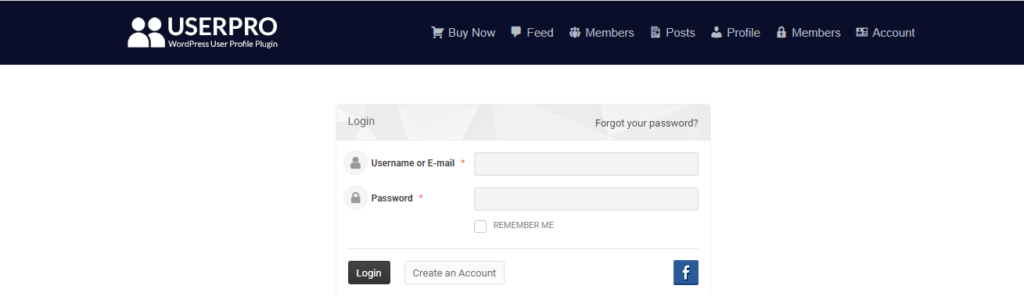
1. Registration and Login forms:
First things that anyone does while creating a user
profile page is registration. UserPro has customizable registration forms along
with many customizable options. Users can also directly log in from their
social media accounts which make the process really instant. It also
facilitates control over registration forms so that users can edit only those
fields that you allow.
It offers help option to redirect users to support
page during registration. The plugin has highly interactive and user-friendly
front-end login and also offers registration form roles for automatic
assignment of user roles.
2. User Profiles:
User profiles are easy to customize by your desire,
and you can design it with your unique style. Users can have elegant profile
cards according to your choice. You can add various fields that will help to
know and understand your users. It is also very easy to customize the
appearances of post authors, and you can also customize or change the layout of
the post authors card. It gives you the ability for promoting any specific user
to something better by analysing the user’s activity.
3. Viral marketing:
The viral marketing feature will benefit you in
connecting with the users more quickly. When any user login with their social
media account, UserPro instantly posts a message on their timeline. The
automatic post is easy to manage, and admin can edit this post anytime. It also
offers an option of adding hashtags so that your users will increase from these
posts.
4. Social Network:
You can set social networks for users by using
UserPro. Allow users to access and follow each other by looking at new posts
and other activities. This will help in elevating your user list and help to
increase user engagement. You can also set up a connection between users and
add activity feed so that users remain updated about their connections’
activity.
5. Social extensions and plugin integration:
UserPro allows you to integrate add-ons and plugins
easily. It offers the feature to connect with different social media platforms
like Facebook, Twitter, LinkedIn, Google+, Instagram etc. It also facilitates
the change to integrate plugins of various fields and profiles like
WooCommerce, BuddyPress, MyCred, SVG Avatars and many more. All these will
effectively create an outstanding user profile page.
6. Restriction and support:
You can restrict certain contents, send user invitation and redirect users to desired website or a page through the UserPro plugin. The plugin also provides guides and tutorials to help developers to create customized user profiles.
All the features of the UserPro plugin help to create an efficient user profile page which helps businesses and different organization to understand their users well.